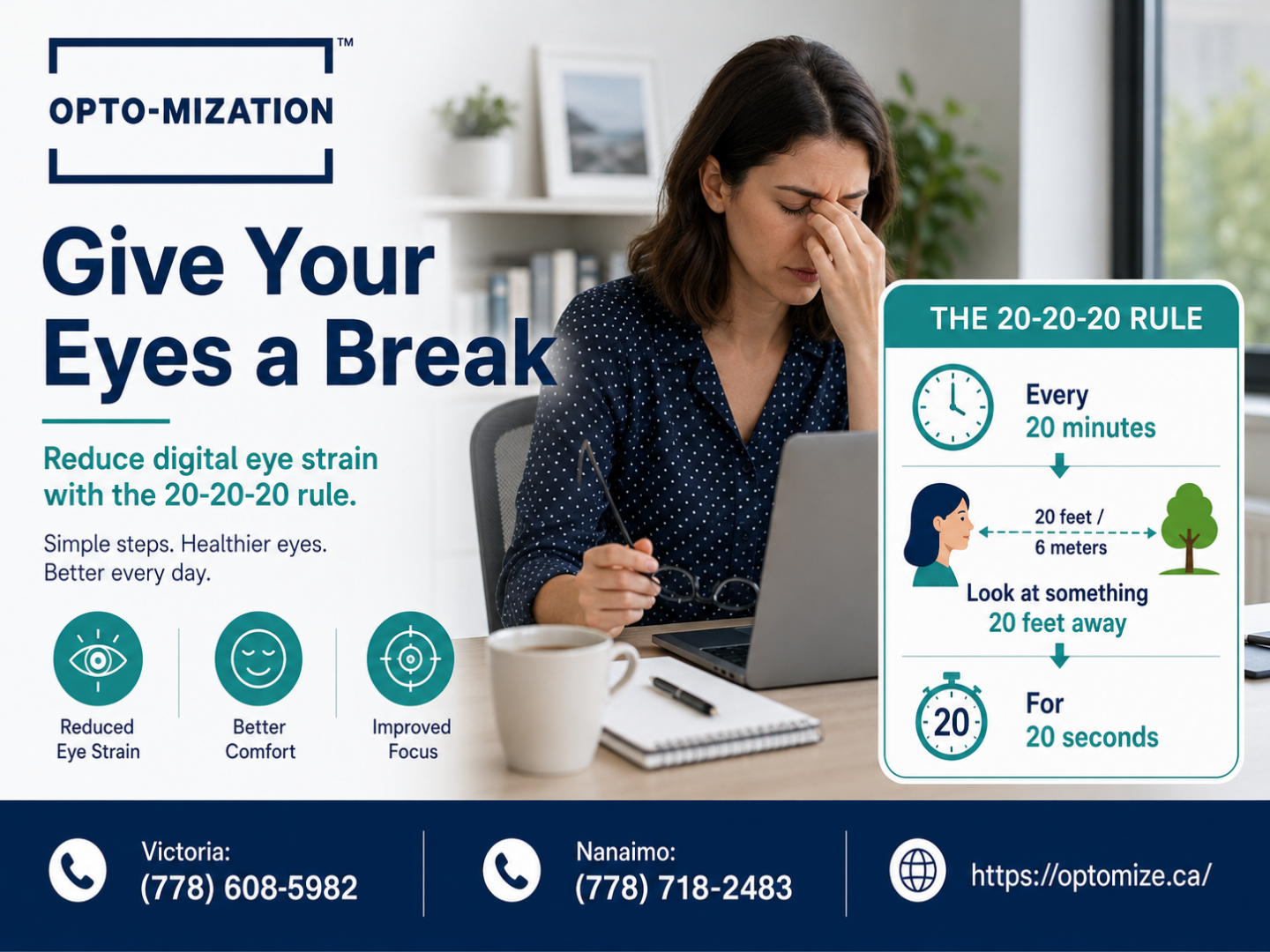
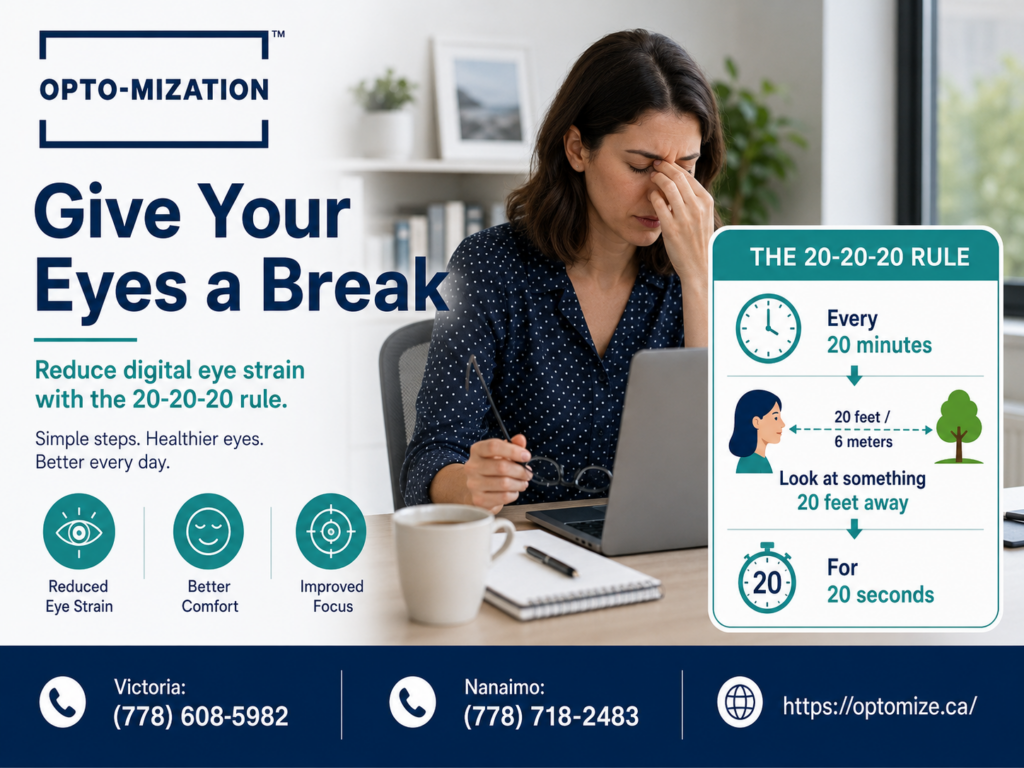
Taking breaks from screens helps, but it often is not enough to stop eye pain because digital eye strain has multiple causes working at the same time. Incomplete blinking, uncorrected prescriptions, poor display settings, and how your workspace is set up can all keep symptoms going even when you step away regularly. Addressing the root causes, not just screen time, is what leads to real relief.
Key Takeaways
- Screen breaks reduce fatigue but do not fix the underlying causes of digital eye strain on their own.
- Reduced blink rate while using screens leads to dry, irritated eyes that persist long after you look away.
- Uncorrected or outdated prescriptions force your eyes to overwork, even on short viewing sessions.
- Display brightness, glare, and screen position all affect how hard your eyes have to work throughout the day.
- Symptoms like blurry vision, headaches, and light sensitivity are common signs that something beyond screen time needs attention.
- A functional eye exam can identify hidden visual issues that standard eye tests sometimes miss.
You follow the advice. You step away from your screen every hour. You rest your eyes, get some water, maybe look out the window for a minute. And yet by mid-afternoon, your eyes still ache, your head throbs, and your vision feels like it is swimming. If that sounds familiar, you are not imagining it. Breaks are a good habit, but they are not a complete solution. Here is why.
Things You Must Know
1. Breaks Help Recovery, But Do Not Eliminate the Cause
Resting your eyes gives overworked muscles a chance to reset, but if the underlying trigger, whether it is dry eyes, a misaligned prescription, or poor screen setup, is still there, the problem comes back the moment you return to your screen. Think of it like taking a break from wearing tight shoes. Your feet feel better briefly, but the shoes still do not fit. Breaks need to be paired with addressing what is actually causing the strain.
2. Many People Are Using the Wrong Prescription for Screen Work
A prescription that works well for driving or reading physical text may not be the right correction for the specific distance of a computer monitor. This is especially common for people over 40, but it affects younger adults too. Using lenses that are not optimized for your screen distance forces your focusing system to compensate constantly, which exhausts the muscles inside your eye over a full workday. A functional eye exam that includes digital vision testing can identify this gap.
3. Your Eyes Are Drier Than You Think During Screen Use
Research consistently shows that people blink significantly less while staring at a screen compared to normal activity. Fewer blinks means the tear film across your eye surface breaks down faster, leaving the cornea exposed and irritated. Eye drops can offer temporary relief, but they do not solve reduced blink rate. Awareness exercises and in some cases lubricating drops prescribed by an eye care professional tend to be more effective long-term.
What Is Actually Happening to Your Eyes During Screen Use?
Your eyes were not designed to stare at a fixed, close-range, self-illuminated surface for hours at a stretch. When you use a screen, several physical processes happen at once that stress the visual system in ways that general breaks cannot fully undo.
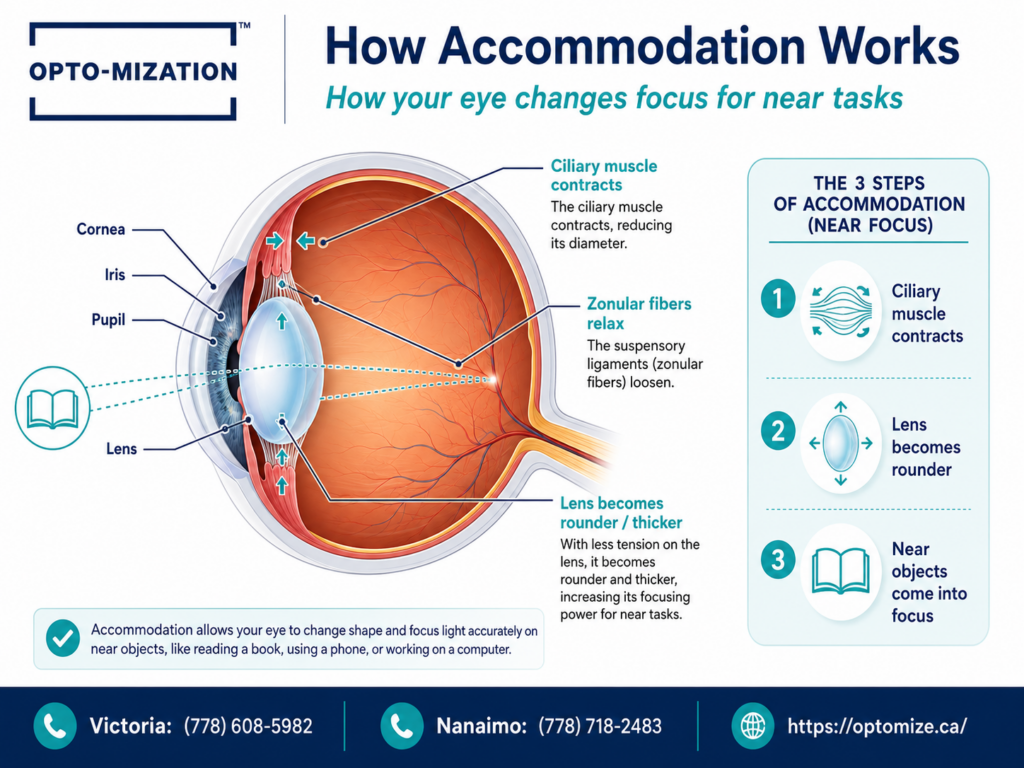
The ciliary muscles inside your eye control your lens as it shifts focus between distances. Holding focus at a fixed screen distance for extended periods causes those muscles to fatigue, a condition sometimes called accommodative spasm. Even after looking away, the muscles can stay partially contracted, which is why your vision sometimes feels slow to adjust when you glance across the room mid-afternoon.
Studies on blink rate during screen use suggest that people blink as little as one-third as often compared to non-screen activities. Normal blink rate is roughly 15 to 20 blinks per minute; during screen use that can drop to 5 to 7. Each blink spreads a fresh layer of tears across the eye surface, so a reduced rate means faster tear film breakdown and a higher likelihood of surface irritation and discomfort.
For anyone already experiencing unexplained eye pain without visible redness, screen use often amplifies those symptoms without being the sole cause.
Why Does Your Workspace Setup Matter as Much as Screen Time?
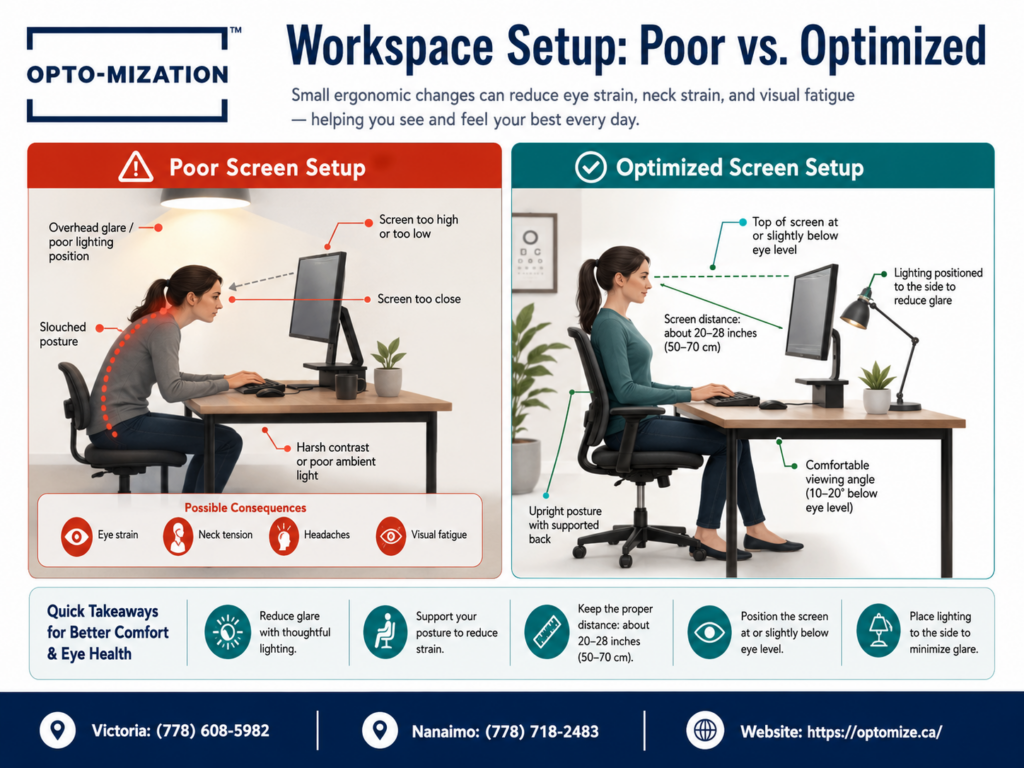
Even with a perfect prescription and healthy eyes, a poorly arranged workspace creates strain that regular breaks cannot compensate for. The physical relationship between your eyes, your screen, and your light environment has a direct impact on how hard your visual system has to work.
| Workspace Factor | Common Problem | Why It Causes Strain |
| Screen height | Monitor too high or too low | Forces unnatural neck and eye angle, increasing muscle tension |
| Screen distance | Screen too close or too far | Overworks focusing muscles or forces squinting |
| Ambient lighting | Bright windows directly behind or in front of screen | Creates glare that forces pupils to constantly readjust |
| Screen brightness | Set too bright relative to room lighting | High contrast between screen and surroundings increases visual fatigue |
| Blue light exposure | Evening screen use with no filtering | Can disrupt melatonin production and affect sleep quality, compounding fatigue |
Glare deserves particular attention. Light reflecting off your screen, whether from a window, overhead fluorescent lights, or a reflective wall, forces your pupil to continuously constrict and dilate as your gaze moves around the display. That constant adjustment is invisible and involuntary, but it is genuinely tiring over the course of a workday.
How to Adjust Your Screen Environment to Reduce Eye Strain
- Position your monitor at arm’s length, roughly 50 to 70 centimetres from your face, with the top of the screen at or slightly below eye level.
- Match your screen brightness to your room. A quick test: if your screen looks like a light source compared to your surroundings, it is too bright. If it looks grey and washed out, it is too dim.
- Reduce glare sources. Reposition your desk so windows are to the side rather than directly in front or behind you. Use a matte screen filter if glare is unavoidable.
- Enable Night Mode or a blue light filter for evening work sessions. Most operating systems have a built-in option for this.
- Practice conscious blinking. Every 20 minutes, take 10 slow, deliberate blinks to refresh your tear film. This is different from just looking away; you need to actually blink fully.
- Apply the 20-20-20 rule correctly. Every 20 minutes, look at something 20 feet away for a full 20 seconds. The distance matters; a wall across the room is not far enough to fully relax your focusing muscles.
Could Your Prescription Be the Hidden Culprit?
This is the factor most people overlook. Even a prescription that tests as correct for distance or reading may not be optimized for the specific working distance of a computer screen. Many people sit with their monitor about 60 centimetres away, which falls in an intermediate zone that neither a standard distance prescription nor a standard reading prescription is designed to cover perfectly.
Computer vision syndrome, a term used to describe the cluster of eye and vision problems associated with extended screen use, is estimated to affect a large proportion of regular computer users. Among those affected, a significant share are found to have prescriptions that are either slightly off, outdated, or not appropriately designed for screen viewing distances.
If you have noticed that your vision sometimes appears slightly distorted or edges look off when viewing digital content, it is worth exploring whether an underlying visual processing issue is involved. Some people find it useful to review information on why straight lines can look distorted or warped, since screen strain sometimes overlaps with other visual processing concerns.
Computer-specific lenses (often called occupational or office lenses) are designed to optimize clarity at intermediate distances. They are not the same as progressive lenses or standard reading glasses, and for heavy computer users they can make a noticeable difference.
Common Mistakes That Make Screen Eye Pain Worse
- Only relying on breaks without fixing the environment. A five-minute break every hour cannot undo the cumulative strain of bad lighting, screen glare, and a wrong prescription for the other 55 minutes.
- Using over-the-counter reading glasses for computer work. These are designed for close reading distances, not the intermediate distance of a monitor. Using them for screen work can actually increase strain.
- Ignoring dry eye symptoms. Occasional dryness that you dismiss as minor can progress into chronic surface inflammation if the tear film is consistently disrupted day after day.
- Assuming the problem will resolve on its own. Digital eye strain tends to worsen gradually. Waiting it out often means symptoms become harder to address later.
- Skipping a functional eye assessment. A standard screening may not catch accommodation issues, vergence problems, or binocular vision dysfunction, all of which screen use can expose or worsen.
Binocular vision dysfunction, where the two eyes have difficulty working together efficiently, is a known but underdiagnosed contributor to digital eye strain. Symptoms often include headaches, eye fatigue, difficulty concentrating on screens, and occasional double vision. These symptoms are frequently attributed to prolonged screen use alone, which means the underlying coordination issue can go unaddressed for years.
If you are preparing to see an eye care provider about these symptoms, it helps to know what to expect. A review of how to prepare for a functional eye exam can help you give your provider accurate information about your screen habits, symptoms, and daily visual demands, which leads to a much more useful assessment.
Symptoms That Tell You This Is More Than Ordinary Tiredness
| Symptom | What It May Indicate |
| Eyes burning or stinging after short sessions | Dry eye or tear film instability |
| Blurry vision when looking at a distance after screen use | Accommodative spasm (focusing muscle fatigue) |
| Headaches centered around the forehead or temples | Eye muscle tension or binocular vision strain |
| Sensitivity to light later in the day | Cumulative visual fatigue or dry eye inflammation |
| Difficulty keeping focus during reading | Convergence insufficiency or accommodation issues |
Frequently Asked Questions
Why Do My Eyes Dry Out If I Take Breaks?
Taking breaks reduces total screen exposure, but it does not retrain your blink rate. If you are blinking far less than normal during screen use, even short sessions damage the tear film quickly. The dryness builds up over the course of the day, so by afternoon the effect is noticeable even if you have been stepping away regularly. Conscious blinking exercises and lubricating drops recommended by an eye care professional can help manage this more effectively than breaks alone.
Why Does My Vision Get Blurry After Looking Away?
This happens because the ciliary muscle, which controls your eye’s focusing lens, can become temporarily locked in a near-focus position after extended screen use. When you look up, your focusing system is slow to shift because the muscle is fatigued or mildly spasmed. This condition is called accommodative spasm and while it typically resolves with rest, recurring cases can indicate that your eyes are working harder than they should be, often because of an uncorrected or poorly matched prescription.
Does Screen Glare and Brightness Matter?
Yes, significantly. Glare causes your pupils to constantly constrict and dilate as your gaze shifts across the screen, which is tiring even though it is invisible to you. A screen that is much brighter than the room around it also creates high contrast that forces your visual system to work harder. Adjusting screen brightness to match ambient light, reducing glare sources, and using a matte screen protector or anti-reflective lenses are practical ways to reduce this strain.
Could Uncorrected Vision Be the Culprit?
Absolutely. Even mild uncorrected refractive errors, small amounts of astigmatism, or prescriptions that have shifted slightly can cause significant fatigue during extended near or intermediate work. Your eyes will compensate for these small errors automatically, but that compensation requires constant muscular effort. Over a full workday, that effort accumulates into real discomfort. If your prescription has not been updated in the past one to two years and you are experiencing digital eye strain, an updated assessment is worth prioritizing.
What Can I Do to Actually Stop the Pain?
Start with the adjustable factors: screen distance, screen height, brightness, and glare. Add conscious blinking and the 20-20-20 rule done correctly. If symptoms persist after a week of environmental changes, book a functional eye exam to check your prescription for screen-specific distances and rule out binocular vision issues. For many people, the combination of an updated prescription, occupational lenses, and a properly set up workspace resolves most digital eye strain symptoms that breaks alone were never going to fix.
The Real Answer Is Not Just Rest, It Is Assessment
Breaks are worth taking. They give your visual muscles a chance to recover and reduce cumulative dry eye exposure. But screen pain that persists despite regular breaks is your visual system telling you that something structural needs attention, whether that is your prescription, your workspace, your tear film health, or how your eyes work together.
Most people with chronic digital eye strain have been trying to manage a symptom rather than solve the cause. A proper functional assessment changes that by identifying exactly which factors are driving your discomfort, so you can address them directly instead of just taking another five-minute walk.
If your eyes are still hurting despite your best efforts, the team at Opto-Mization can help you find out why. Call us at (778) 608-5982 to book a functional eye exam designed to assess the full picture of your visual health, including how your eyes perform under real-world screen conditions.